Server Blue-Screened, BIOS Error, No One on Site? True BIOS-Level Remote Control
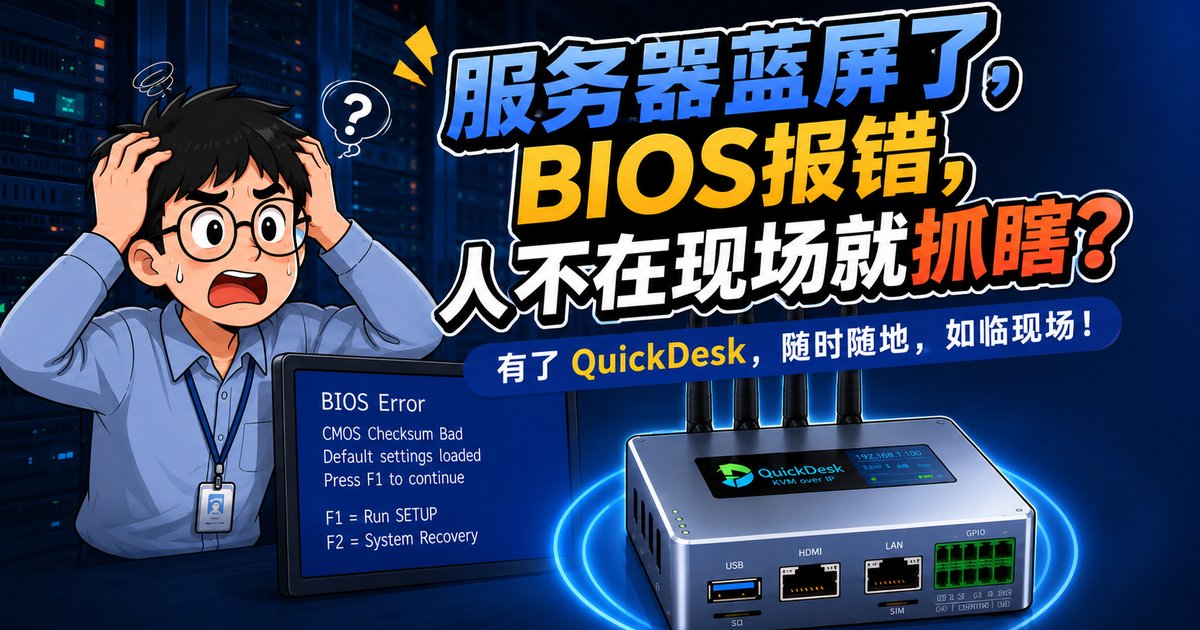
It's 2 a.m. and your phone starts buzzing with urgent messages.
A blue-screen alarm on the production server.
You open your eyes, grab your phone: BIOS POST error — you need to enter BIOS and change the boot order. But you live on the east side of the city, and the data center is on the west. A late-night taxi round trip takes two hours; by the time you get there, it might already be dawn.
You fire up your remote desktop software and try to connect — "Unable to connect."
Of course it can't connect. The operating system hasn't even booted; the remote service simply isn't running.
You drag yourself out of bed, get dressed, and hail a cab to the office.
This isn't a joke. It's the real-life nightmare every on-call IT engineer has lived through.
"Can reach the network" ≠ "can control remotely" — a technical truth countless people overlook.
How Conventional Remote Software Works
You've probably been using TeamViewer, Sunlogin, or RDP for years. But have you ever wondered: how do they actually work?
The answer is simple: they all depend on the operating system running on the controlled device.
Here's the typical workflow:
- Step 1: the remote client is installed on the controlled computer
- Step 2: after the OS boots, the remote service starts running
- Step 3: the client establishes a connection with the service
- Step 4: remote screen and control begin

Where It Breaks Down
When your server blue-screens, hangs at BIOS POST, or is in the middle of a system reinstall — the operating system isn't running at all. The remote service never started, so of course you can't connect.
Think of it this way:
Software remote control is the elevator; the operating system is the power grid. The elevator runs only as long as the grid supplies power. When the OS crashes, the power dies — press the button all you like, nothing responds. It's the same with software remote control: if the OS is down, the remote tool is dead.
BIOS-level remote control, by contrast, is the engineer who goes straight to the distribution box and flips the breaker — independent of the elevator and the grid, controlling from the very bottom layer. Once power is restored, the elevator works again. OS crashed? BIOS-level control takes over from the hardware layer first, gets the system back, and everything else follows.

A Case You Might Not Have Considered
In finance, healthcare, government, and similar industries, there's an even stricter rule: installing any third-party software on controlled devices is forbidden.
The regulation is clear — remote software simply can't be installed. Even when the system is running fine, you still can't connect.
So what then? Someone has to go on site?
Actually, there's a lower-level approach — one that doesn't depend on the operating system and requires no software installation at all, taking over directly at the hardware layer. That's exactly the problem BIOS-level remote control solves.

The Core Principle: Hardware-Level Remote Control
QuickDesk uses HDMI KVM over IP technology — in plain terms, a hardware channel completely independent of the operating system.
Here's how it works:
- Step 1: the QuickDesk device connects to the controlled server via HDMI and USB
- Step 2: it captures the video output — whatever is on screen, including BIOS and blue screens
- Step 3: it emulates keyboard and mouse input
- Step 4: everything is streamed over the network to your browser or client
Whether your server is blue-screened, stuck in BIOS, or mid-reinstall — as long as it has power and video output, you can control it remotely.

Three Core Advantages
Advantage 1: Zero software dependency
"No software needs to be installed on the controlled server. Even if the disk is wiped or the OS is missing, you can still operate it remotely."
This matters enormously in finance, healthcare, and other high-security environments.
Advantage 2: BIOS-level control
"Power-on self-test, entering BIOS, changing boot order, configuring RAID… just as if you were sitting in the server room."
Advantage 3: Secure encryption
"The signal is encrypted end to end, meeting the security and compliance requirements of finance, healthcare, and other regulated industries."

Say Goodbye to Midnight Rides to the Server Room
Still losing sleep over late-night runs to the data center?
Say goodbye to the midnight ride — the travel time and energy you save are worth far more than the product itself.
Try QuickDesk today and enjoy the following benefits:
If your work involves server operations, data center management, or frequently resolving problems "beyond the reach of the operating system," QuickDesk may well be the answer you've been looking for.
Struggling with remote O&M problems that always seem out of reach? Scan the QR code to talk to us.