When using QuickDesk for remote control, if you select “System Administrator Account Verification” for a computer in the list, a security verification window appears when another computer tries to control it. You must enter the Windows system administrator username and password for the computer being controlled.
As shown below:
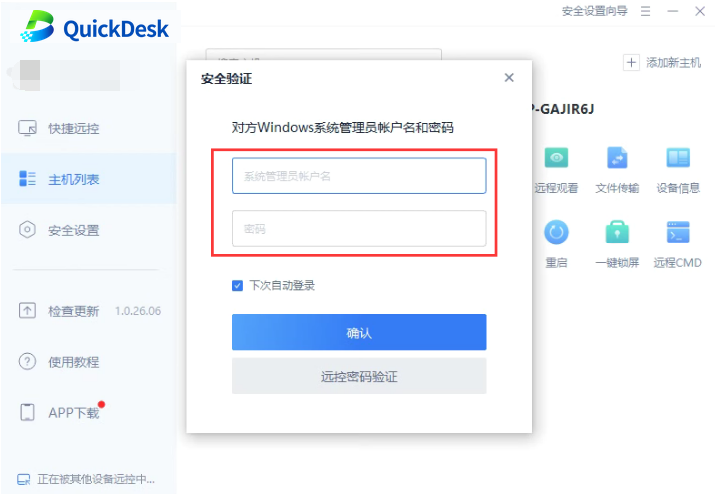
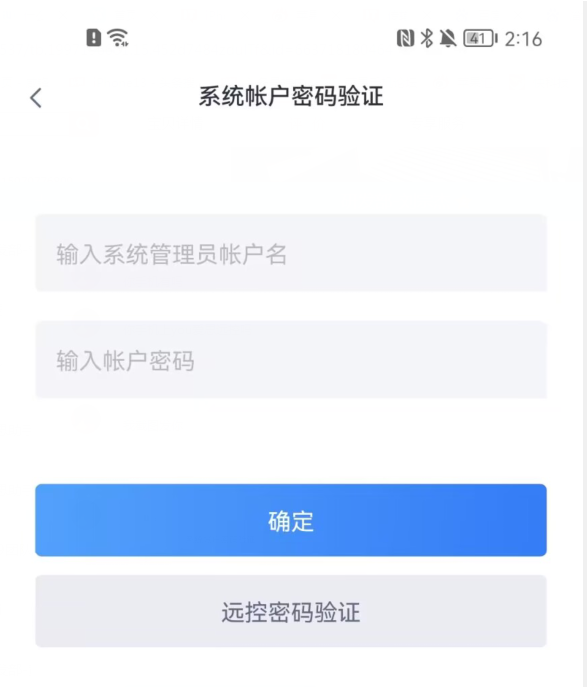
Many users are unsure what “system administrator username and password” means or which credentials to enter.
What are the system administrator username and password?
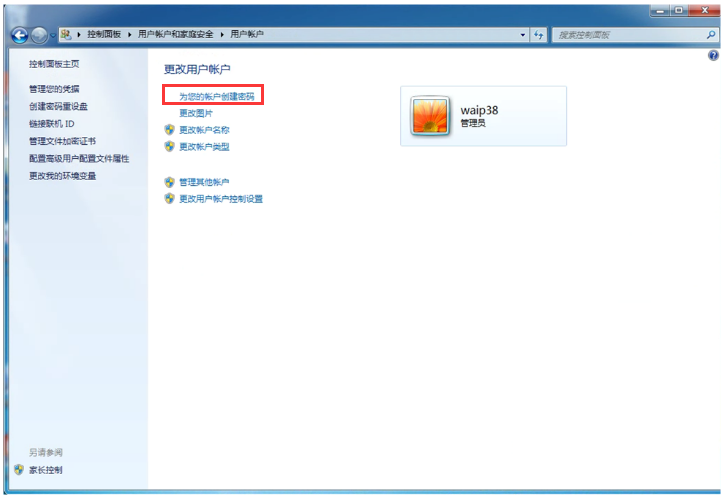
The system administrator account uses the username you sign in to Windows with, and its password is the key to accessing that account. The default Windows administrator username is administrator, and the account normally has no password by default. Setting a password for the system administrator account provides basic security for the account and computer.
Why use system administrator account verification?
For safer QuickDesk remote control, we recommend creating a Windows system administrator account with a password on your computer. An account without a password cannot be used as a verification credential, so other users cannot control this computer using this verification method.
How do I use it?
After creating a Windows system administrator account and password, select “System Administrator Account Verification” when adding the computer to the QuickDesk remote computer list.
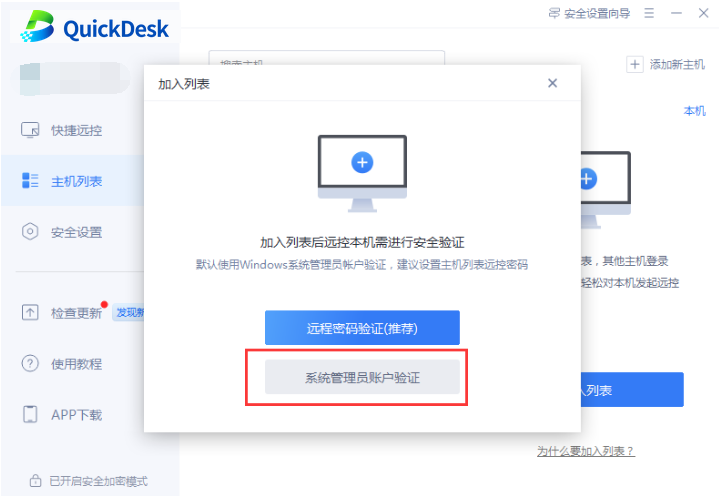
When another computer tries to control this computer remotely, enter the Windows system administrator username and password created on the computer being controlled.