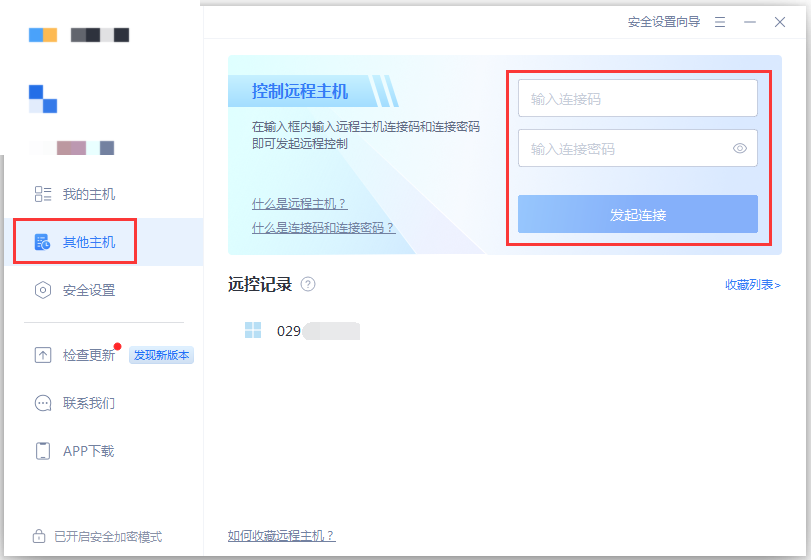
When you use remote control to access another computer, you’ll be prompted to enter a Connection Code and Connection Password, as shown below:
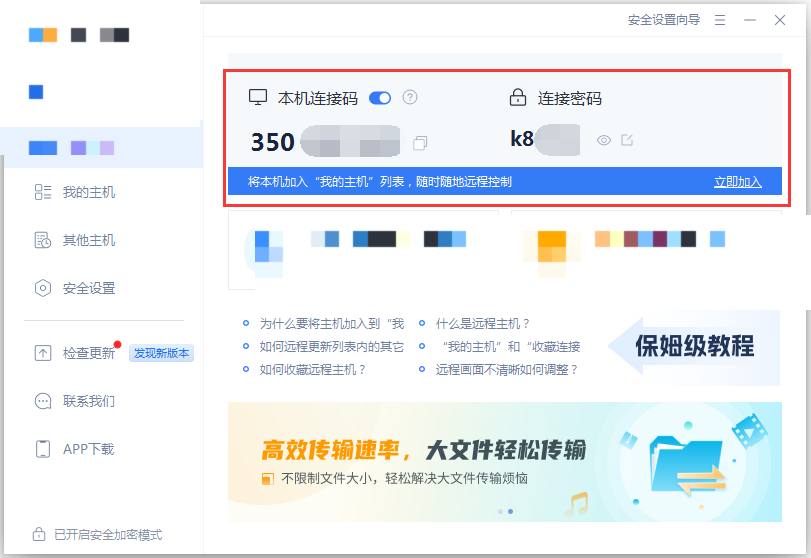
What are the Connection Code and Connection Password, and where can you find them?
After you install QuickDesk, it generates a unique Connection Code and Connection Password for your computer. You can find both on the local computer’s information page. To let someone control your computer remotely, send them the Connection Code and Connection Password so they can start a remote-control session.
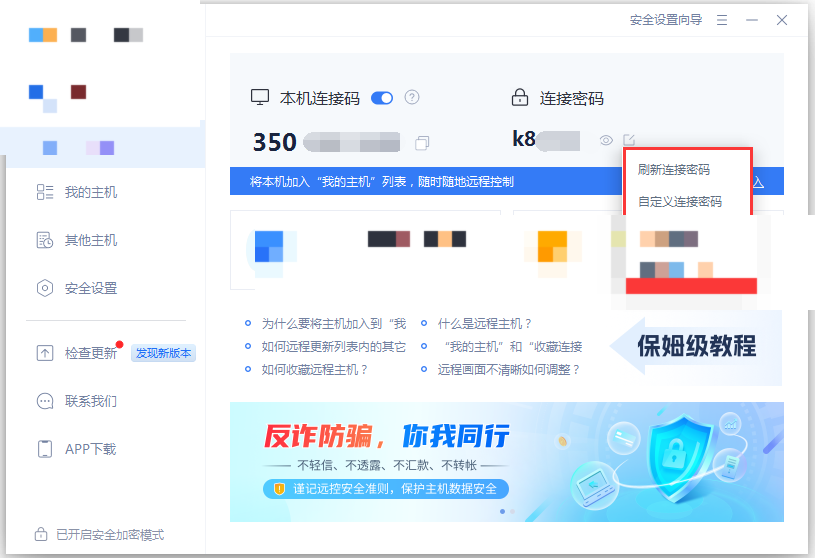
If you don’t think the randomly generated Connection Password is secure enough, you can refresh it. You can also set a custom Connection Password and configure how often it refreshes.