When using QuickDesk for a remote connection, the controlling computer may sometimes be unable to connect. A remote network diagnostic may report a firewall issue, as shown below:
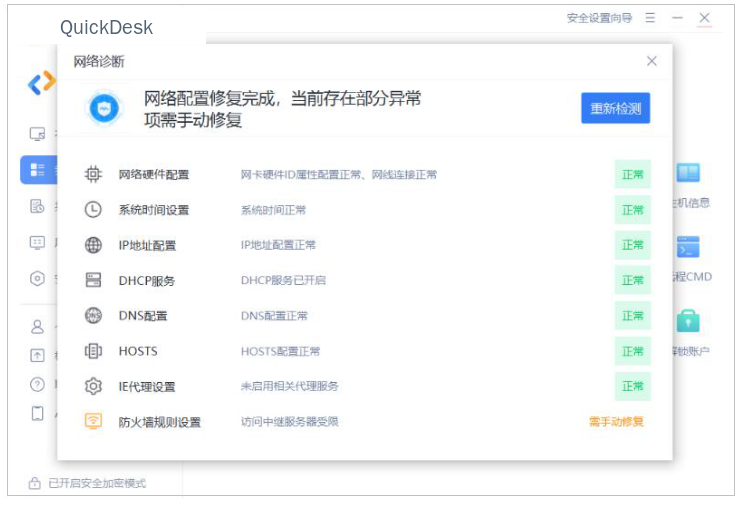
If you encounter this issue, try the following steps:
1. Open the firewall settings in the computer’s “Control Panel,” then add “QuickDesk” and “QuickDesk Host Service” to the list of allowed apps.
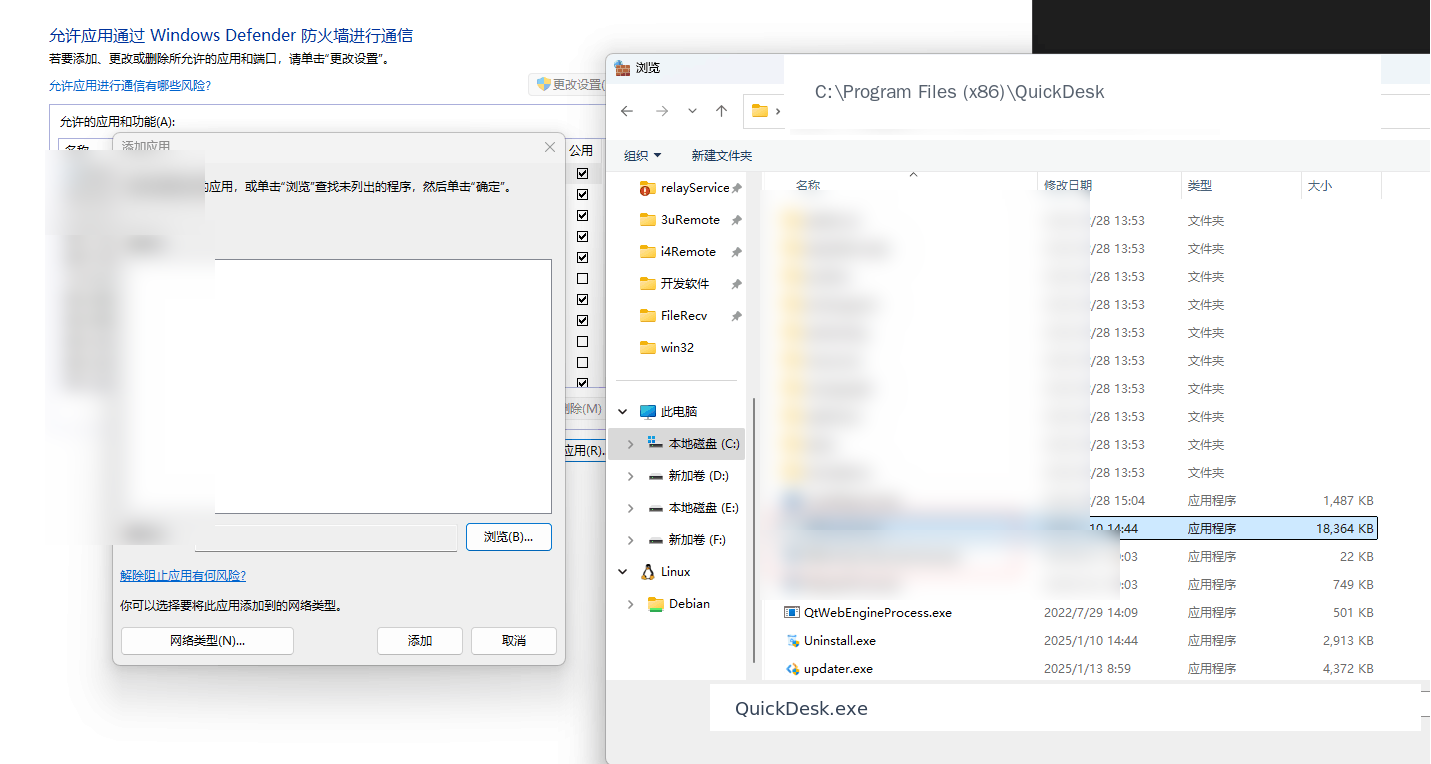
2. If this does not resolve the issue, the network used by the controlled or controlling computer may be managed by an enterprise gateway policy. Contact your network administrator to check the policy and allow the connection in accordance with the security policy.